
Partner API Authentication
All Partner API requests must be authenticated using an API Key and an HMAC-SHA256 request signature. This authentication mechanism verifies the identity of the calling partner and ensures that the request has not been modified during transmission.
Important
Tickets created through the Partner API are automatically created in the Validated status.
Unlike tickets submitted through the standard redemption flow, Partner API tickets do not require a separate validation through Telegram. Consequently, all redeem requests must be fully validated by your system before they are submitted to the Partner API.
By submitting a ticket through the Partner API, you acknowledge that the redeem request has already been verified and approved according to your internal validation procedures.
API Credentials
Each partner application is issued the following credentials:
| Credential | Description |
|---|---|
| API Key | Identifies your application. Include this value in the X-API-Key request header with every API request. |
| API Secret | Used to generate the HMAC-SHA256 request signature. This value is confidential and must never be included in API requests or exposed to third parties. |
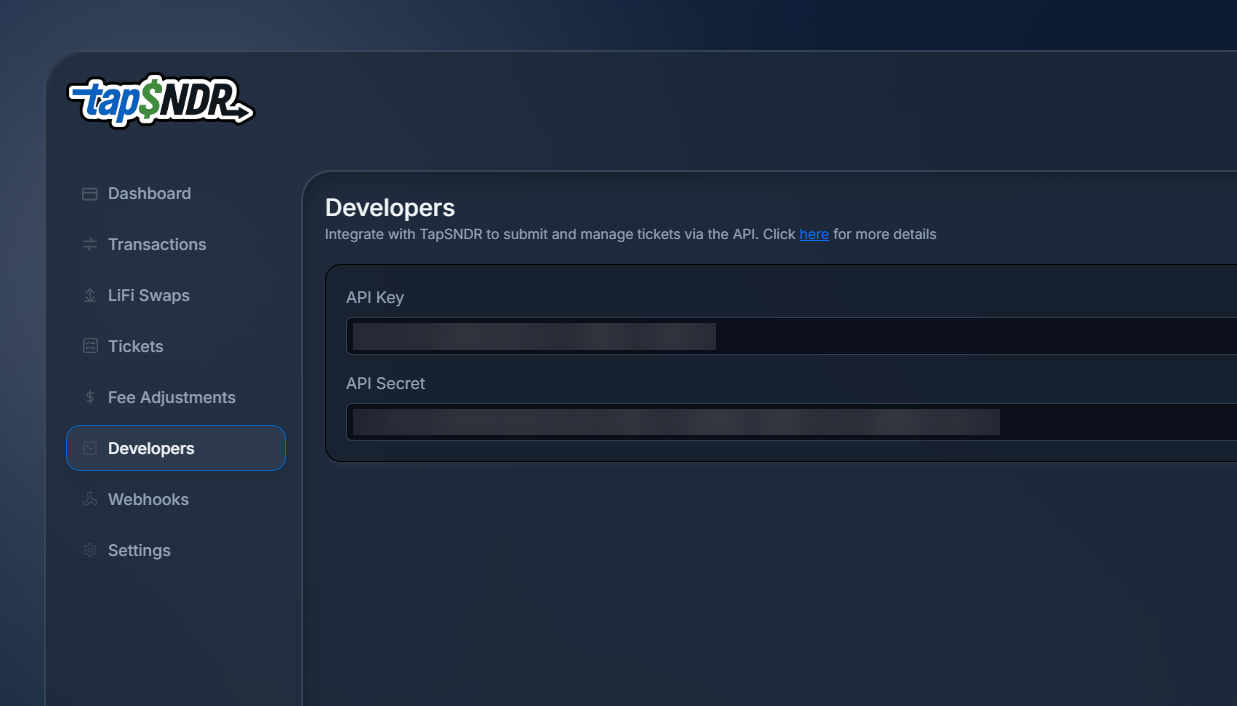
You can view your assigned API credentials from the Portal.
Authentication Headers
The following headers are required for all authenticated requests:
| Header | Required | Description |
|---|---|---|
X-API-Key | Yes | The API Key issued to your application. |
X-Timestamp | Yes | The Unix timestamp (in seconds) when the request was signed. Used to prevent replay attacks. |
X-Signature | Yes | The HMAC-SHA256 signature generated using your API Secret. |
Signature Generation
Construct the string to sign using the following format:
HTTP_METHOD
REQUEST_PATH
TIMESTAMP
CANONICAL_REQUEST_BODY
Where:
- HTTP_METHOD is the HTTP request method in uppercase (for example,
GET,POST,PUT, orDELETE). - REQUEST_PATH is the request path only, excluding the domain name and query string.
- TIMESTAMP is the value of the
X-Timestampheader. - CANONICAL_REQUEST_BODY is the canonical representation of the request body.
Generate the HMAC-SHA256 hash of the string above using your API Secret as the signing key. Encode the resulting hash as a lowercase hexadecimal string and include it in the X-Signature request header.
Canonical Request Body
JSON Requests
For requests using application/json:
- Serialize the JSON object using UTF-8.
- All request body values must be serialized as strings, unless explicitly stated otherwise in the endpoint documentation.
- Do not escape forward slashes (/) or Unicode characters.
Multipart Requests (File Upload)
For requests using multipart/form-data, do not sign the raw multipart body.
Instead:
- Calculate the SHA-256 hash of each uploaded file.
- Replace each file field value with its SHA-256 hash.
Code Samples
<?php

$apiKey    = 'YOUR_API_KEY';
$apiSecret = 'YOUR_API_SECRET';

$method    = 'POST';
$path      = '/payouts/tickets';
$timestamp = time();

$payload = [
    'email'          => '[email protected]',
    'domain_id'      => '1',
    'facebook_name'  => 'John Doe',
    'amount'         => '100',
    'game'           => 'Gold Dragon',
    'game_id'        => 'M-123-456-789',
    'payment_method' => 'PayPal',
    'payment_tag'    => '@johndoe',
];

$qrcodePath = '/path/to/qrcode.jpg';
if (! is_file($qrcodePath)) {
    throw new RuntimeException('QR code file not found');
}
$qrcodeHash        = hash_file('sha256', $qrcodePath);
$payload['qrcode'] = $qrcodeHash;

$signingData = implode("\n", [
    strtoupper($method),
    $path,
    $timestamp,
    json_encode($payload, JSON_UNESCAPED_SLASHES | JSON_UNESCAPED_UNICODE),
]);
$signature = hash_hmac('sha256', $signingData, $apiSecret);

$payload['qrcode'] = new CURLFile($qrcodePath);

$ch = curl_init('https://api.tapsndr.com' . $path);

curl_setopt_array($ch, [
    CURLOPT_POST           => true,
    CURLOPT_POSTFIELDS     => $payload,
    CURLOPT_RETURNTRANSFER => true,
    CURLOPT_HTTPHEADER     => [
        'X-API-Key: ' . $apiKey,
        'X-Timestamp: ' . $timestamp,
        'X-Signature: ' . $signature,
    ],
]);

$response = curl_exec($ch);

if (curl_errno($ch)) {
    throw new Exception(curl_error($ch));
}

curl_close($ch);

echo $response;
import fs from "fs";
import crypto from "crypto";
import FormData from "form-data";
import fetch from "node-fetch";

const apiKey = "YOUR_API_KEY";
const apiSecret = "YOUR_API_SECRET";

const method = "POST";
const path = "/payouts/tickets";
const timestamp = Math.floor(Date.now() / 1000);

const payload = {
  email: "[email protected]",
  domain_id: "1",
  facebook_name: "John Doe",
  amount: "100",
  game: "Gold Dragon",
  game_id: "M-123-456-789",
  payment_method: "PayPal",
  payment_tag: "@johndoe",
};

const qrcodePath = "/path/to/qrcode.jpg";
if (!fs.existsSync(qrcodePath)) {
  throw new Error("QR code file not found");
}

const qrcodeBuffer = fs.readFileSync(qrcodePath);
const qrcodeHash = crypto.createHash("sha256").update(qrcodeBuffer).digest("hex");
payload.qrcode = qrcodeHash;

const signingData = [method.toUpperCase(), path, timestamp, JSON.stringify(payload)].join("\n");

const signature = crypto.createHmac("sha256", apiSecret).update(signingData).digest("hex");

const form = new FormData();
for (const [key, value] of Object.entries(payload)) {
  form.append(key, value);
}
form.append("qrcode", fs.createReadStream(qrcodePath));

const headers = {
  "X-API-Key": apiKey,
  "X-Timestamp": timestamp.toString(),
  "X-Signature": signature,
  ...form.getHeaders(),
};

(async () => {
  const response = await fetch("https://api.tapsndr.com" + path, {
    method: "POST",
    headers,
    body: form,
  });

  if (!response.ok) {
    throw new Error(`HTTP error! status: ${response.status}`);
  }

  const text = await response.text();
  console.log(text);
})();
Updated 4 months ago